
The Checkout Table Is the Last Thing Guests Remember — Make It Smooth
You’ve spent weeks organizing your silent auction — and then the event ends, the music fades, and thirty winners converge on a folding table at the same time. Without a free silent auction checkout form template, that final fifteen minutes can feel like controlled chaos: volunteers scrambling to write totals by hand, winners unsure what they won, and a line that stretches to the door.
This is where things go sideways for a lot of auctions. Payments get mis-recorded. An item goes home with the wrong person. A donor asks for a receipt and nobody has one ready. These aren’t big mistakes — but they stick with guests, and they create extra cleanup work for your team after the event.
The checkout form template on this page gives you a simple, structured way to close each transaction accurately and quickly. It captures everything you need in one place: what the winner purchased, what they paid, and how they paid it. Whether you’re running a school PTO fundraiser, a hospital gala, or a community nonprofit auction, this form makes the checkout table feel like the organized finish your event deserves.
This is where things go sideways for a lot of auctions. Payments get mis-recorded. An item goes home with the wrong person. A donor asks for a receipt and nobody has one ready. These aren’t big mistakes — but they stick with guests, and they create extra cleanup work for your team after the event.
The checkout form template on this page gives you a simple, structured way to close each transaction accurately and quickly. It captures everything you need in one place: what the winner purchased, what they paid, and how they paid it. Whether you’re running a school PTO fundraiser, a hospital gala, or a community nonprofit auction, this form makes the checkout table feel like the organized finish your event deserves.
free download
Get your silent auction checkout form template
Print-ready and fully editable. Choose the format that works best for your event.
Free, no sign-up required
No personal info collected
Print as many copies as you need
Checkout Form — Print Ready
PDF · Fixed layout · US Letter
- Formatted for clean, professional printing at any copy center or office printer
- Fixed layout keeps all fields aligned and easy to fill in by hand at the checkout table
- Ready to use immediately — just print and go
Checkout Form — Editable
Word Doc · Fully customizable
- Add your organization's name, logo, and event details before printing
- Adjust field labels, add custom payment method options, or include your tax ID
- Works in Microsoft Word, Google Docs, and Pages
What a Checkout Form Does at Your Silent Auction's Closing Table
When bidding closes, the checkout table becomes the most active spot at your event. Winners need to be confirmed, totals calculated, payments collected, and items handed off — all while guests are ready to leave. A checkout form is the physical record that holds all of that together for each transaction.
This template serves as a per-winner document that your volunteers fill out at the moment of payment. It ties together the winning bid amounts from your bid sheets, confirms the winner’s identity, records how payment was made, and creates a paper trail for your finance team to reconcile after the event.
For nonprofits and school groups, that paper trail matters beyond just logistics. It supports accurate reporting of auction revenue, helps resolve any post-event payment disputes, and provides a clean record for tax acknowledgment letters. Without something like this, your treasurer is often left piecing together totals from bid sheets, handwritten notes, and memory.
The template works equally well for fully in-person events and hybrid formats where some items are claimed in person by online bidders. If you’re running a large event with multiple checkout stations, each volunteer can work from the same form — keeping the process consistent across the room.
This template serves as a per-winner document that your volunteers fill out at the moment of payment. It ties together the winning bid amounts from your bid sheets, confirms the winner’s identity, records how payment was made, and creates a paper trail for your finance team to reconcile after the event.
For nonprofits and school groups, that paper trail matters beyond just logistics. It supports accurate reporting of auction revenue, helps resolve any post-event payment disputes, and provides a clean record for tax acknowledgment letters. Without something like this, your treasurer is often left piecing together totals from bid sheets, handwritten notes, and memory.
The template works equally well for fully in-person events and hybrid formats where some items are claimed in person by online bidders. If you’re running a large event with multiple checkout stations, each volunteer can work from the same form — keeping the process consistent across the room.
Every Field on the Silent Auction Checkout Form, Explained
- Winner Name — Confirms who is claiming and paying for the item. Without this, you have no way to match a payment to a bidder number if a dispute comes up later.
- Bidder Number / Table Number — Links the winner back to your registration list. This is the fastest way to locate their contact details and verify their identity at a busy checkout table.
- Item Number and Description — Documents exactly what was purchased. If a winner takes home the wrong item or questions their total later, this field is your first reference point.
- Hammer Price / Winning Bid Amount — The confirmed closing bid. This should match the final entry on the corresponding bid sheet and become the basis for the total due.
- Item Fair Market Value (FMV) — Required for any event where donors may want to claim a charitable deduction. The IRS requires donors to know the FMV of goods received in exchange for a donation, so having it on the checkout record simplifies the acknowledgment letter process.
- Payment Method — Records whether payment was made by cash, check, credit card, or mobile payment. This field is essential for end-of-night reconciliation and protects your team if a payment is later questioned.
- Check Number / Transaction Reference — Provides a specific identifier for non-cash payments. If a check bounces or a card dispute is filed, this number is what your finance team needs.
- Amount Paid / Amount Due — Confirms the transaction is settled in full or flags any balance remaining. Some events allow split payments or partial payment at checkout — this field tracks that clearly.
- Volunteer Initials or Signature — A simple accountability field that records who processed the transaction. Helpful for resolving any discrepancies during post-event reconciliation.
- Receipt Issued Checkbox — Confirms that the winner received a payment receipt at checkout. This small detail protects you from post-event claims that a receipt was never provided.
How to Use the Checkout Form Before, During, and After Your Auction
Customize the form before your event
Open the editable Word doc version and add your organization’s name, event name, and date. If your event uses a specific set of payment methods (no cash, or mobile pay only), update the payment method checkboxes to match. Print enough copies to handle your expected number of winners — a good rule of thumb is one form per item, plus a 20% buffer.
Pre-fill item information during event setup
If you know your item list ahead of time, you can pre-fill the item number, description, and fair market value for each form before the event starts. This saves your checkout volunteers from having to look anything up mid-transaction and reduces the chance of a description being written down incorrectly.
Assign a trained volunteer to run the checkout table
The checkout form works best when one person per station is responsible for filling it out — not the winner, not a floater, but a dedicated volunteer who knows the form. Before the event, walk that person through each field so they’re not learning it under pressure when the line is forming.
Pull winning bid amounts from your bid sheets at close
When bidding ends, your team should retrieve the bid sheets and note the final winning bid for each item. You’ll transfer that amount to the “winning bid” field on the corresponding checkout form. This step connects the two documents and ensures your totals are sourced from the actual bid record.
Process each winner at the table systematically
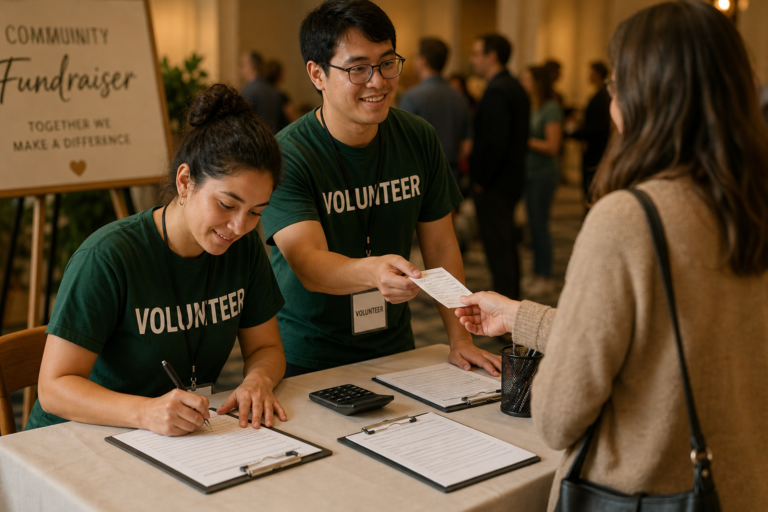
Greet the winner, confirm their name and bidder number, review the items they won, calculate the total, collect payment, and check off each field as you go. Don’t hand over an item until the checkout form is complete and payment is confirmed — this protects both the winner and your organization.
Issue a receipt before the guest leaves
If your event provides payment receipts (which is strongly recommended for any nonprofit auction), mark the receipt-issued checkbox and hand over a copy before the winner walks away. If you’re using a separate receipt form, note the receipt number on the checkout form for cross-reference.
Reconcile forms with your finance team after the event
At the end of the night, collect all completed checkout forms and compare total revenue against your payment records. The volunteer initials field helps you follow up on any form that’s incomplete or unclear. File completed forms according to your organization’s recordkeeping policy.
Best Practices for a Faster, Cleaner Checkout Process
- Print more forms than you think you need. A winner who purchased multiple items may need a separate form for each, depending on your setup. Running out mid-event is a real problem — print at least 25% more than your item count and keep extras at the table.
- Use a dedicated checkout table away from the item display.
When checkout happens in the same space as item browsing, the flow gets cluttered. A separate table — even just a few feet away — helps your volunteers focus and keeps the line moving. - Pre-sort forms by item number before the event ends.
If you’ve pre-filled item details on each form, organize them in item number order before bidding closes. When winners arrive, you can pull the right form quickly instead of searching through a stack. - Record fair market value even if guests don’t ask.
Many auction winners don’t realize they need the FMV information until tax time. Having it documented on the checkout form means you can reference it when writing acknowledgment letters weeks later, without chasing down the original donation paperwork. - Avoid accepting payment types you can’t process cleanly.
If your organization can’t process a specific payment method — some groups can’t take checks, others can’t run cards — don’t list it on the form. Ambiguity at the checkout table creates delays and unhappy guests. - Keep a copy of each completed form for your records.
The simplest way to do this is to use a two-part carbonless form or make a quick phone photo of each completed form before the winner takes it. If a dispute comes up after the event, you’ll want that paper trail. - Train checkout volunteers on how to handle split payments.
Occasionally a winner will want to pay part by card and part by check. Make sure your volunteers know how to record that scenario in the amount-paid field so totals add up correctly during reconciliation. - Don’t let winners take items before the form is complete.
It feels awkward to ask someone to wait, but handing over an item before the checkout form is filled in creates a gap in your records that’s very hard to close after the fact. Make it a firm table policy.
Checkout Form — Print Ready
PDF · Fixed layout · US Letter
- Formatted for clean, professional printing at any copy center or office printer
- Fixed layout keeps all fields aligned and easy to fill in by hand at the checkout table
- Ready to use immediately — just print and go
Checkout Form — Editable
Word Doc · Fully customizable
- Add your organization's name, logo, and event details before printing
- Adjust field labels, add custom payment method options, or include your tax ID
- Works in Microsoft Word, Google Docs, and Pages
Silent Auction Checkout Form Questions, Answered
Can I use this checkout form if we're collecting payments through a mobile app or card reader?
Yes — the payment method field on this form includes space to record digital and card transactions, and you can customize the editable Word version to name your specific platform (Square, PayPal, Stripe, etc.). The checkout form isn’t a payment processor itself — it’s a paper record of what was collected and how. That record is useful regardless of which tool you swipe the card through.
Do we need a separate checkout form for each item, or can one form cover a winner who bought multiple items?
Either approach works, but most organizations find it cleaner to use one form per item rather than trying to list multiple purchases on a single sheet. A per-item form makes reconciliation simpler and gives you a discrete record for each auction lot. If a winner purchased five items, they’ll have five forms — but each one is a clean, unambiguous record.
Is there a way to use this form for hybrid auctions where some winners aren't physically at the event?
For items won by remote bidders, the checkout form still serves as your internal transaction record — your volunteer fills it out when the payment is processed, even if the winner isn’t present. You’ll want to mail or email a receipt separately. If your hybrid auction uses online bidding software, the platform may generate its own records, but having a paper backup is still a good practice for your finance team.
What do we do with completed checkout forms after the event?
Completed checkout forms are financial records and should be treated accordingly. The Association of Fundraising Professionals (AFP) recommends that nonprofits retain event financial documentation as part of their standard recordkeeping practices — consult AFP’s resource library at afpglobal.org for guidance on document retention policies for fundraising events. At minimum, store your completed checkout forms with your event financial files for the same period you retain other fundraising revenue records.
Can a volunteer fill this form out, or does it need to go through a board member or treasurer?
Any trained volunteer can fill out the form at the checkout table — that’s exactly what it’s designed for. The volunteer initials field at the bottom creates accountability without requiring a board member to be present at every transaction. Your treasurer’s role comes after the event, during reconciliation, when they’ll review the completed forms against payment totals and close out the event financials.
Download Your Free Checkout Form and Close Your Auction with Confidence
The checkout table is where weeks of planning either pay off cleanly or get messy in the final stretch. Having a consistent, complete form for every transaction means your volunteers aren’t improvising, your finance team has what they need for reconciliation, and your winners leave with a clear record of what they paid.
Here’s what you get with this template:
Here’s what you get with this template:
- A pre-formatted checkout form designed specifically for silent auction payment collection
- Fields for winner identification, item details, winning bid, FMV, and payment method
- A receipt-issued confirmation checkbox to close each transaction cleanly
- A volunteer accountability field that supports post-event reconciliation
- An editable Word version so you can add your branding and adjust fields before printing
- A print-ready PDF for immediate use with no setup required
Explore More Silent Auction Resources
A successful silent auction fundraiser requires thoughtful planning, strong partnerships, and an engaging event experience. By understanding how auctions work and what motivates bidders, organizations can create events that raise meaningful support for their mission.
Explore our guides to learn more about:
Step-by-step guides explaining how silent auctions work, how to plan them, and how to run a successful fundraising event.
Explore proven strategies nonprofits use to plan, promote, and maximize fundraising results from silent auction events.
Download templates and tools that help nonprofits organize auction items, track bids, and manage fundraising events.
The Association of Fundraising Professionals offers research, ethical standards, and best practices to help nonprofits improve fundraising success.