
One Sheet to Track Every Auction Item From Intake to Pickup
Picture this: it’s one hour before your silent auction opens. You’ve got 60 donated items, a folding table that’s somehow missing two legs, and a volunteer asking you which item is Lot 14. You stare at the pile of donation forms and realize — nothing is labeled. Nothing is matched. Nothing is tracked.
A free silent auction item tracking sheet is the tool that prevents exactly this moment. It gives you one place to record every donated lot: what it is, who donated it, what it’s worth, where it lives in the room, and what happens to it after the auction closes. Without it, you’re managing everything in your head — or worse, across three different people’s phones.
This template is especially useful for school PTOs managing their first auction, nonprofit committees handling 50+ items, and any event chair who needs to hand off responsibilities without losing information. If items are coming in from multiple donors over several weeks, this sheet is what keeps you sane through all of it.
A free silent auction item tracking sheet is the tool that prevents exactly this moment. It gives you one place to record every donated lot: what it is, who donated it, what it’s worth, where it lives in the room, and what happens to it after the auction closes. Without it, you’re managing everything in your head — or worse, across three different people’s phones.
This template is especially useful for school PTOs managing their first auction, nonprofit committees handling 50+ items, and any event chair who needs to hand off responsibilities without losing information. If items are coming in from multiple donors over several weeks, this sheet is what keeps you sane through all of it.
free download
Get your item tracking sheet template
Print-ready and fully editable. Choose the format that works best for your event.
Free, no sign-up required
No personal info collected
Print as many copies as you need
Item Tracking Sheet — Print Ready
PDF · Fixed layout · US Letter
- Formatted for easy printing and clipboard use during setup and check-in
- Clean column layout stays intact across any printer or device
- Ideal for volunteers who need a physical reference during the event
Item Tracking Sheet — Editable
Word Doc · Fully customizable
- Add your organization's name, logo, or event date before printing
- Adjust columns to match your specific lot numbering system or item categories
- Expand row count instantly to match your donation inventory
What an Item Tracking Sheet Does for Your Auction Inventory
A silent auction item tracking sheet is your master record for every donated lot from the moment it arrives to the moment it leaves with a winner. It functions as an intake log, a room layout reference, and a checkout verification tool — all in one document.
During the weeks leading up to your event, items trickle in from donors at different times, in different conditions, sometimes with full information and sometimes with almost none. This template gives every item a home in your system: a lot number, a description, a fair market value, and a status you can update as things move. When your auction opens, volunteers can cross-reference the sheet to confirm items are in place. When it closes, checkout staff use it to verify that winning bidders are picking up the right item.
Nonprofits and school groups rely on this kind of template because they’re almost always working with a volunteer workforce — people who are juggling this alongside their regular jobs and lives. A shared tracking sheet reduces how much anyone needs to hold in their head and makes it easy to hand tasks off without dropping details. It also creates the paper trail you need for donation acknowledgment letters and end-of-year tax documentation, which any organization receiving in-kind gifts needs to maintain. Whether your auction is in-person, hybrid, or part of a broader gala evening, the item tracking sheet is the backbone of your operational setup.
During the weeks leading up to your event, items trickle in from donors at different times, in different conditions, sometimes with full information and sometimes with almost none. This template gives every item a home in your system: a lot number, a description, a fair market value, and a status you can update as things move. When your auction opens, volunteers can cross-reference the sheet to confirm items are in place. When it closes, checkout staff use it to verify that winning bidders are picking up the right item.
Nonprofits and school groups rely on this kind of template because they’re almost always working with a volunteer workforce — people who are juggling this alongside their regular jobs and lives. A shared tracking sheet reduces how much anyone needs to hold in their head and makes it easy to hand tasks off without dropping details. It also creates the paper trail you need for donation acknowledgment letters and end-of-year tax documentation, which any organization receiving in-kind gifts needs to maintain. Whether your auction is in-person, hybrid, or part of a broader gala evening, the item tracking sheet is the backbone of your operational setup.
Every Field in the Item Tracking Sheet — and Why It's There
- Lot Number — The unique identifier assigned to each item. Without consistent lot numbering, bid sheets, display labels, and checkout records can’t reliably match up — and mismatches at checkout create real delays.
- Item Name / Description — A plain-language description of the item. This is what volunteers read when someone asks “what’s in Lot 32?” — it should be clear enough that anyone on your team can answer without hunting down the donor form.
- Donor Name — Records who contributed the item, which you’ll need for acknowledgment letters, tax receipts, and public recognition during the event. Losing this connection is one of the most common post-auction headaches.
- Donor Contact Information — An email or phone number for follow-up if there’s a question about the item’s condition, redemption instructions, or expiration terms. Especially important for experience packages and gift cards.
- Fair Market Value (FMV) — The estimated retail value of the item, typically provided by the donor. This figure is required for donor tax acknowledgment letters and helps you set a realistic minimum bid.
- Item Category — Groups items by type (travel, dining, services, goods, experiences) to support table layout decisions, catalog organization, and your bidder guide. Useful during setup when your volunteers need to know where things go.
- Table / Display Location — Records where the item is physically placed in the room. When something goes missing or a bidder can’t find a lot, this field tells your team exactly where to look.
- Starting Bid — The minimum bid amount set before the event. Capturing this on the tracking sheet keeps your bid sheets and your inventory log consistent — and gives checkout staff a quick reference point.
- Winning Bidder Name — Filled in at auction close, this connects the item to the person who won it. It’s the first step in checkout and essential if you’re issuing written receipts.
- Item Status — A simple field (In / Displayed / Won / Picked Up / Unclaimed) that lets any volunteer see where each item stands in the process at a glance. This is the field that keeps checkout from becoming chaotic.
How To Use the Item Tracking Sheet — Step by Step
Set up your lot numbering system before any items arrive
Before the first donation comes through the door, decide on your numbering format — sequential (001, 002, 003) is simplest. Assign a lot number range to each category if you’re organizing by type. Write these into the template first, so every item gets a number on arrival rather than being retroactively numbered later, which causes gaps and confusion.
Log each item the moment it's received
As donations come in — whether dropped off in person or mailed — fill in the item’s row immediately. Record the lot number, description, donor name, contact info, and FMV before setting the item aside. Waiting until “later” almost always means some fields never get filled in.
Confirm fair market values with donors in writing
The FMV column matters for more than internal tracking. According to fundraising best practices, organizations issuing donor acknowledgment letters for in-kind gifts should document the value provided by the donor. If a donor doesn’t supply an FMV, note that in the field and follow up before the event — you’ll need it for receipts.
Assign display locations during event setup
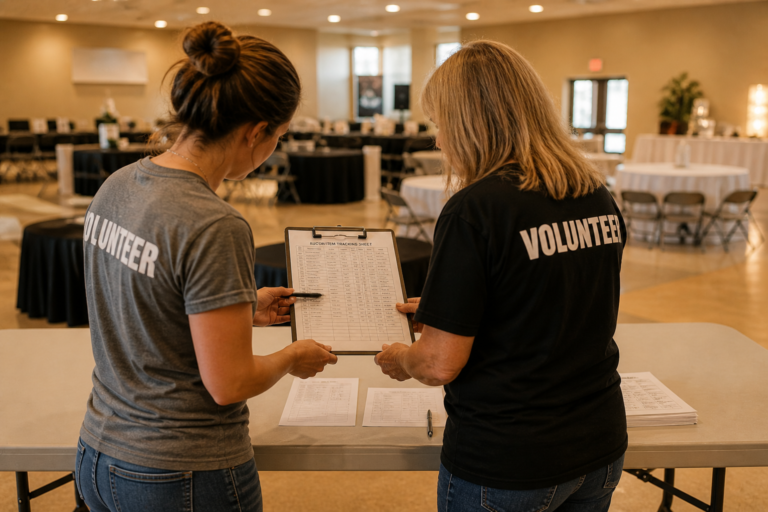
On setup day, use the Table/Display Location column to record where each item lands. Walk the room with a clipboard, confirm that items match their lot numbers, and update the sheet. This step takes 20 minutes and saves 2 hours of confusion once guests are in the room.
Update item status as the event progresses
The status column is a live tool — it should be updated throughout the night. When an item goes to display, mark it. When the auction closes, mark winning bidder names and update status to “Won.” Keep the sheet at your checkout table or volunteer station so updates happen in real time, not at the end of the night from memory.
Use the sheet at checkout to verify pickups
As winners collect their items, check the lot number, match it to the winning bidder name, and mark the status “Picked Up.” This step prevents double-handoffs, protects against unclaimed items walking out the wrong way, and gives you a clean record when the event closes.
Reconcile unclaimed items after the event
Any item that ends the night with a “Won” status but not a “Picked Up” status needs follow-up. Use the winning bidder name and your contact records to arrange pickup or delivery. Items still marked “Unclaimed” should be flagged for your committee to decide on — some organizations re-auction them, others hold them for the next event.
What Experienced Auction Committees Know About Item Tracking
- Assign one person as the tracking sheet owner
When everyone is responsible for updating the sheet, no one actually does it consistently. Designate a single volunteer as the keeper of the master document. Others can flag changes, but one person confirms and records them. - Print a working copy and keep a backup digital version
The printed sheet on a clipboard is your real-time event tool. The digital version — in Google Sheets or as a saved Word doc — is your backup and your post-event reference. Keep both current, especially if items are still arriving close to the event date. - Use your lot numbers everywhere, not just the tracking sheet
Your lot numbers should appear on display labels, bid sheets, and your auction catalog or bidder guide. When all four sources use the same number, volunteers can answer any question about any item instantly — without hunting down multiple documents. - Don’t leave FMV fields blank
Missing fair market values cause real problems when you’re writing donor acknowledgment letters. If a donor hasn’t provided a value by the time you’re building the sheet, make a note and add a task to follow up before the event date. - Flag experience items and gift cards separately
Physical goods are straightforward to track. Experiences (restaurant certificates, travel packages, lessons) and gift cards often have expiration dates, redemption instructions, or restrictions. Add a notes column or color flag these rows so checkout staff know to include that information when handing them off to winners. - Walk the room before doors open
Use the display location column to physically verify every item is where the sheet says it is. Do this 30 minutes before guests arrive. Items move during setup, and a bidder who can’t find their lot will ask a volunteer — who needs to be able to find it fast. - Keep the sheet accessible to more than one person during the event
If the tracking sheet is in your volunteer coordinator’s back pocket all night, it becomes a bottleneck. Post it at checkout, share it with your lead volunteer, and if you’re using a digital version, make sure at least two people can access it on their phones. - Do a final status sweep before teardown
Before volunteers start breaking down tables, do one pass through the status column and confirm every item is either “Picked Up” or deliberately flagged as “Unclaimed.” Finding an orphaned lot at the end of teardown is a much bigger problem than catching it 10 minutes before.
Item Tracking Sheet — Print Ready
PDF · Fixed layout · US Letter
- Formatted for easy printing and clipboard use during setup and check-in
- Clean column layout stays intact across any printer or device
- Ideal for volunteers who need a physical reference during the event
Item Tracking Sheet — Editable
Word Doc · Fully customizable
- Add your organization's name, logo, or event date before printing
- Adjust columns to match your specific lot numbering system or item categories
- Expand row count instantly to match your donation inventory
Item Tracking Sheet Questions, Answered
How many items can this tracking sheet handle before it gets unwieldy?
The template works well for events with anywhere from 15 to 150+ items, depending on how you manage it. For smaller auctions under 40 items, the printed PDF version is usually sufficient. For larger events, we recommend using the editable Word version as the basis for a Google Sheet so multiple volunteers can update it simultaneously during the event. There’s no hard ceiling — it scales with your item count.
Can I use this template to track both silent and live auction items in the same sheet?
You can, and some organizers do — but it’s usually cleaner to keep them separate. Live auction items follow a different flow (they don’t sit on a table with bid sheets) and their “winning bidder” process is handled by the auctioneer in real time rather than your checkout team. If you need to track both, add an “Auction Type” column and use it to filter rows during checkout. But separate sheets avoid confusion, especially when volunteers are dividing responsibilities.
Do I need to collect fair market value information from every donor?
Yes — and it’s worth making this a firm part of your donation intake process. The Association of Fundraising Professionals (AFP) notes that nonprofits receiving non-cash gifts should document the donor-provided value for acknowledgment purposes. That documentation starts here, in the FMV column of your tracking sheet. If a donor can’t provide a value estimate, note it and follow up — don’t leave it blank and assume it’ll sort itself out later. You can find AFP’s guidance on gift acknowledgment at afpglobal.org.
What's the best way to share the tracking sheet with volunteers who aren't in the same room?
If your volunteers are spread across setup zones or you have a hybrid event with remote coordination, upload the editable version to Google Drive and share it as a Google Sheet. Everyone can see updates in real time without needing to be at the same table. Assign editing permissions only to leads — view-only access for general volunteers prevents accidental overwrites while still letting everyone check item status.
What should I do with the tracking sheet after the event is over?
Keep it. Your post-event tracking sheet is a working document that feeds directly into your donor acknowledgment letters, your financial reconciliation, and your planning notes for next year. The winning bidder column tells you who owes what. The FMV column informs your donor receipts. The donor contact column is your list for thank-you outreach. Store the final version — both the working copy and any digital backup — somewhere your committee can access it for at least 90 days post-event.
Download Your Free Item Tracking Sheet and Walk Into Your Auction Prepared
The difference between a chaotic auction night and a smooth one often comes down to a single question: does everyone on your team know where every item is and what’s happening to it? This template gives you a clear answer to that question at every stage of your event — from the first donation that arrives to the last item that leaves with a winner.
Here’s what you get with this template:
Here’s what you get with this template:
- A complete lot-by-lot inventory log that covers intake through checkout
- Dedicated fields for donor information, FMV, and item status — everything you need for post-event acknowledgment letters
- A display location column that keeps your volunteer team oriented during setup and throughout the event
- A status tracking system that makes checkout verifiable and organized, even when it gets busy
- Print-ready PDF formatting sized for clipboard use by any volunteer on your team
- A fully editable Word version you can adapt to your organization’s lot structure, item categories, and event size
Explore More Silent Auction Resources
A successful silent auction fundraiser requires thoughtful planning, strong partnerships, and an engaging event experience. By understanding how auctions work and what motivates bidders, organizations can create events that raise meaningful support for their mission.
Explore our guides to learn more about:
Step-by-step guides explaining how silent auctions work, how to plan them, and how to run a successful fundraising event.
Explore proven strategies nonprofits use to plan, promote, and maximize fundraising results from silent auction events.
Download templates and tools that help nonprofits organize auction items, track bids, and manage fundraising events.
The Association of Fundraising Professionals offers research, ethical standards, and best practices to help nonprofits improve fundraising success.